Skip to content

Changelog

What's new in Tessa

What changed in Tessa, release by release.

RSS feed

    • 1.2.1
    • Executor 1.4.0

    Desktop tests pause while someone uses the computer

    A desktop test announces itself with a countdown and pauses when someone takes the mouse or keyboard.
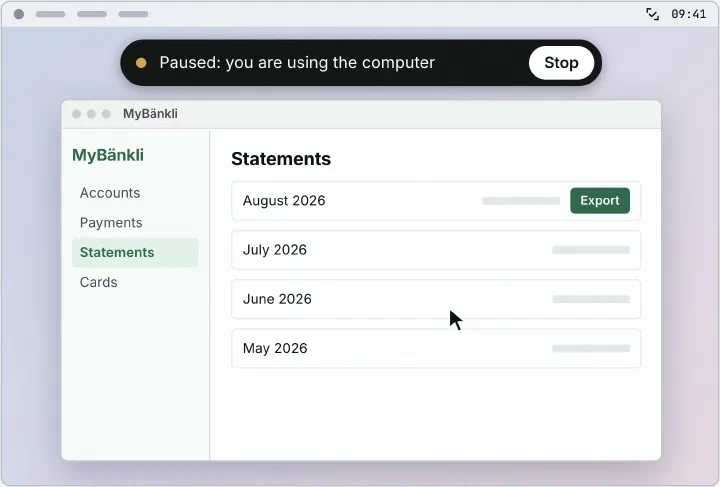
    A banner counts down three seconds before the test starts and has a Stop button. The test resumes three seconds after the last input. Paused time does not count against the test’s time limit.

    Also in this release
    • Web and desktop tests get a wide live preview.
    • A stopped test keeps the steps it had begun.
    • Missing macOS permissions show up at setup.
    • 1.2.0

    Tessa searches and files issues from the chat

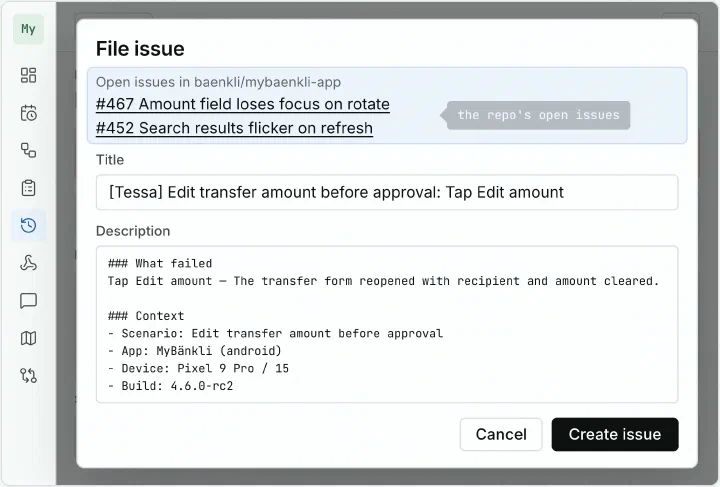
    The Tessa Assistant searches your issue tracker live and files an issue from what you describe.

    Describe what you saw, and Tessa writes the issue with device, operating system and build. It shows likely duplicates before you confirm. Tessa only changes issues it filed itself.

    Also in this release
    • Help has a setup reference in English and German.
    • Devices have a page of their own.
    • Help copies a setup prompt for AI coding agents.
    • Executor 1.3.0

    Tests run on real iPhones signed by your own Apple team

    The Tessa Executor on your Mac signs and installs Apple's test agent, and your signing key never leaves that Mac.

    Plug in the iPhone, and the executor registers it with Apple and renews the certificate and profile. You enter your team’s key once per Mac. You need a paid Apple Developer Program team.

    • 1.1.6

    Hooks run your own code before and after a test

    Short JavaScript on your own Tessa Executor runs before a test, after it, or both.

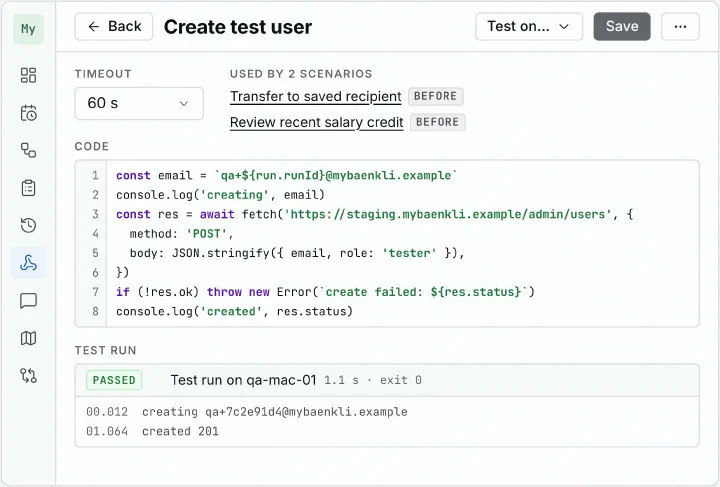
    The hook editor in Tessa with a short script that creates a test user, and a passed test run below it.

    A hook can prepare test data, clean up afterwards, or call any webhook. Workspace owners write the hooks, and testers attach them to scenarios. A hook that fails before the test stops it before the app opens, and the failure does not count as a regression. Hooks only run on computers whose owner has allowed them.

    Also in this release
    • Every item the Tessa Assistant names is a link.
    • A failed AI connection test shows the provider's error message.
    • 1.1.5
    • Executor 1.2.0

    New workspaces reach their first test on a setup board

    The dashboard guides a new workspace step by step until Tessa has explored the app and run a test it drafted.

    The owner connects an AI provider and a device, creates a project and adds a build or URL. Tessa then explores the app and runs the first test it drafts. People invited later get a welcome panel.

    Also in this release
    • Projects get a display name.
    • Run defaults can be set per project.
    • The CLI creates and edits projects, scenarios, plans and schedules.
    • 1.0.1–1.1.4
    • Executor 1.1.0–1.1.3

    Teams can start Tessa Cloud on their own with 14 days free

    A team signs up with Google or GitHub and has its own workspace within a minute.

    The first 14 days are free. After that the team picks a monthly plan on the pricing page and can cancel at any time. An owner can export the whole workspace in one click, in every account state.

    Also in this release
    • GitLab joins as an issue tracker.
    • A waiting test says why it waits.
    • Large app builds upload in parts and show their progress.
    • 0.4.0
    • 1.0.0
    • Executor 0.4.0–1.0.1

    Tessa 1.0 turns a failed test into a drafted issue

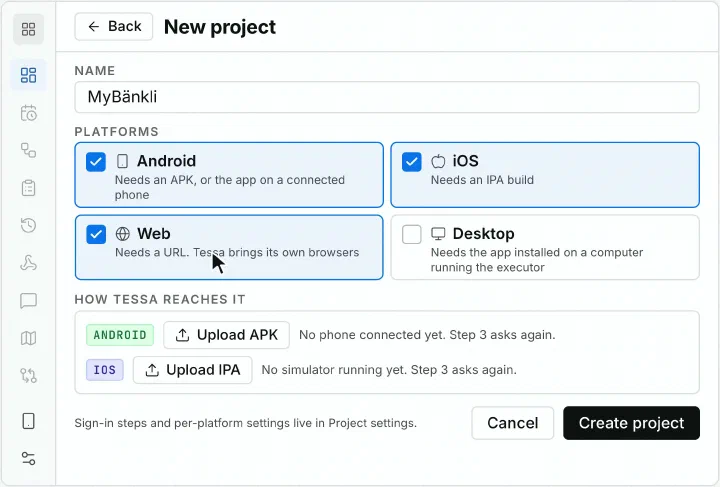
    Tessa goes into production and connects to your issue tracker, so a failed test becomes a drafted issue.

    Tessa lists open issues that look like the same problem before anyone files a new one. When a failure comes back, Tessa comments on the existing issue. A failure after the issue was closed is flagged as a regression.

    Also in this release
    • Test plans show their open issues, and the dashboard lists known issues.

Before 1.0

    • 0.2.19–0.3.1
    • Executor 0.2.19–0.3.1

    Test teams share one workspace that learns their app

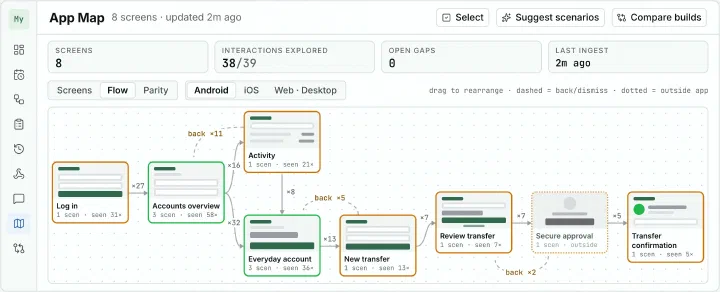
    Tessa gains organisations with their own sign-in, and every test adds screens to an App Map of the product.

    Each organisation’s data is kept apart from the others. The device’s screen shows live during a test, and a dashboard sorts results by what needs attention. The App Map shows what tests have not covered yet, and Tessa drafts scenarios for those gaps on request.

    Also in this release
    • The interface is available in German.
    • Each workspace connects its own AI provider key.
    • Build Compare shows what changed between two builds.
    • 0.2.0–0.2.18

    Tessa moves to a server and starts testing web apps

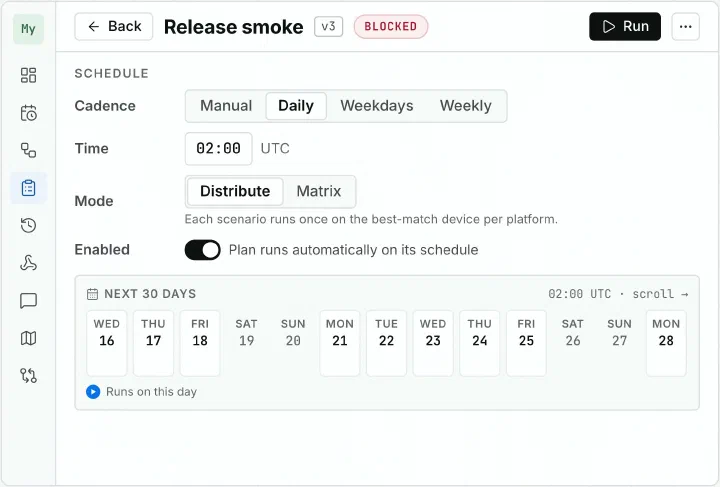
    A central server lets tests start from the browser and run on several devices in parallel.

    A Tessa test plan with its schedule: daily at 02:00 UTC, scenarios distributed across the devices, and the runs of the next thirty days.

    An executor connects the devices to the server. Schedules start tests without anyone at the desk. Web apps are tested by their URL, Android and iOS apps as uploaded builds.

    Also in this release
    • A replay checks the live screen at every step.
    • A command line runs tests and writes JUnit reports.
    • 0.1.0

    Tessa starts as a desktop app that tests phones from plain language

    In the private beta a tester describes a flow in plain words and watches AI drive a connected phone.

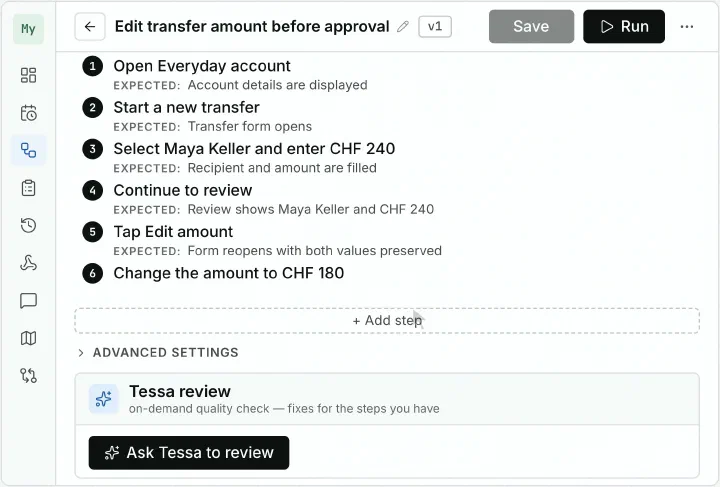
    Tessa scenario editor as it looks today: a title and steps with their expected results.

    Scenarios are written in a structured editor, with steps and their expected results. Tessa blocks destructive actions during a test. Today Tessa runs as a server with an interface in the browser.

Get started

Start your free 14-day trial

Start free trial