Author
Write tests in plain language
- A test is a scenario with preconditions, steps and expected results.
- Switch between editor and Markdown at any time.
- On request, Tessa drafts or reviews a scenario for you.
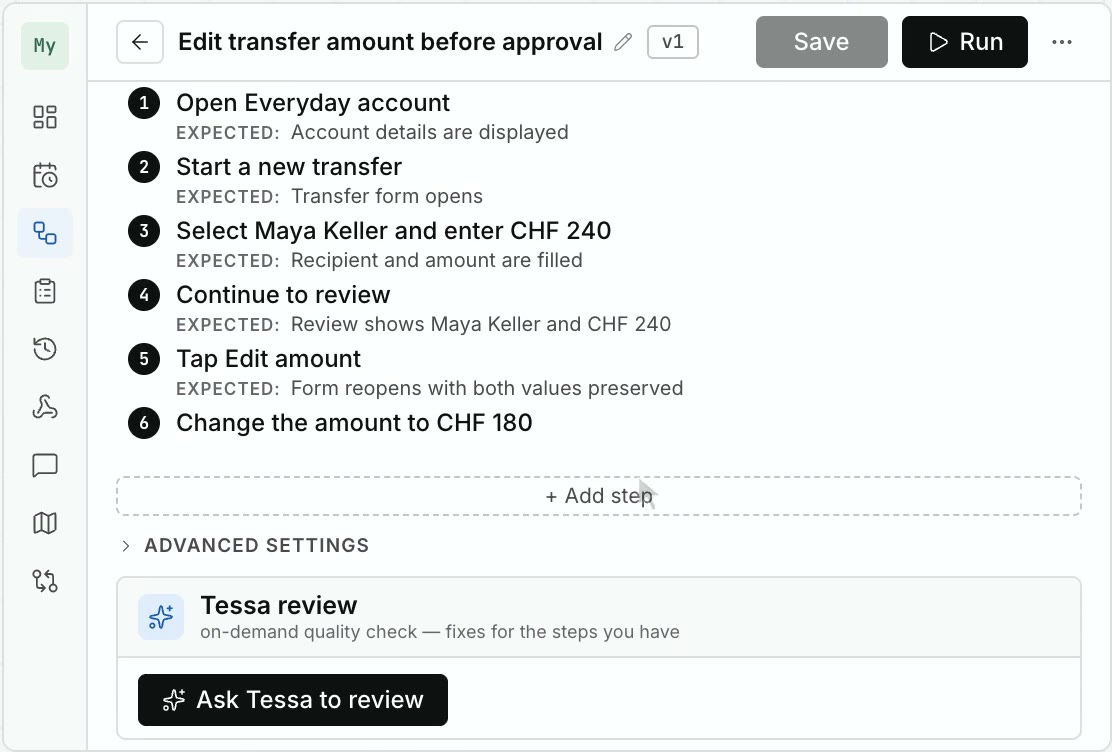
Tessa testing companion
Describe a flow. Tessa runs it on your app, verifies every step, and hands you the evidence. No selectors, no code.
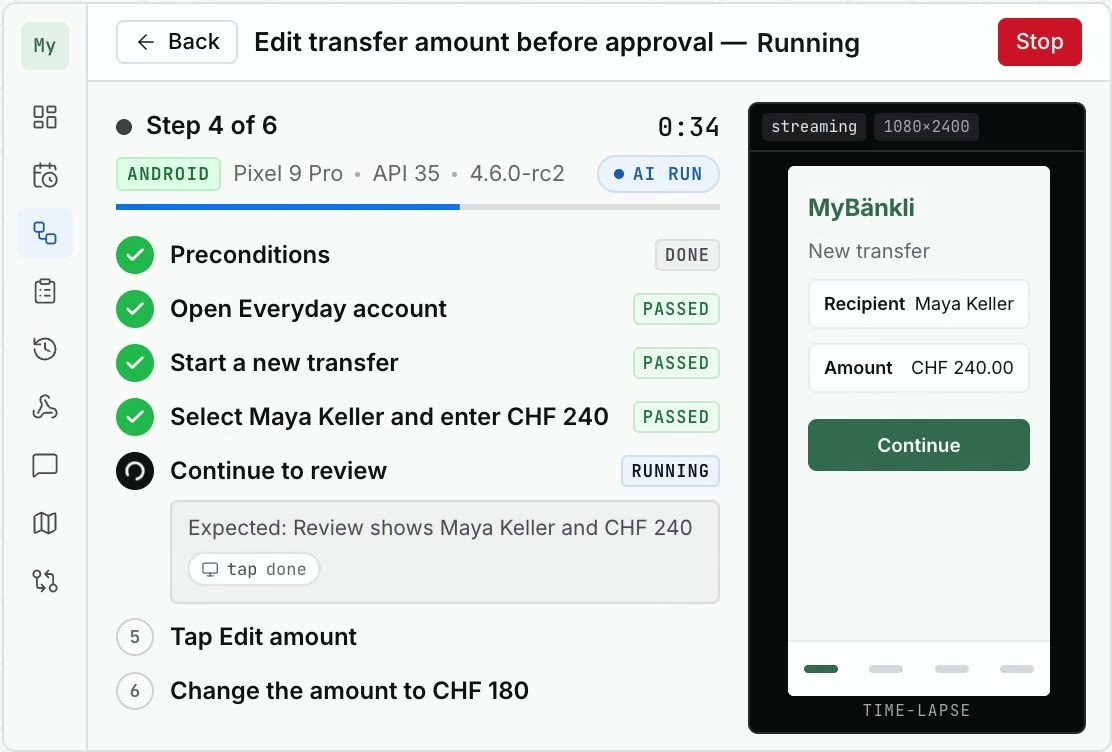
A 24-second film without narration. A scenario, “Edit transfer amount before approval”, is drafted in four plain-language steps and accepted. Tessa runs it on an Android phone in MyBänkli, our demo banking app, and the fourth step fails. The report shows the expected and the observed behaviour next to the captured screen.
Author
Run
Evidence
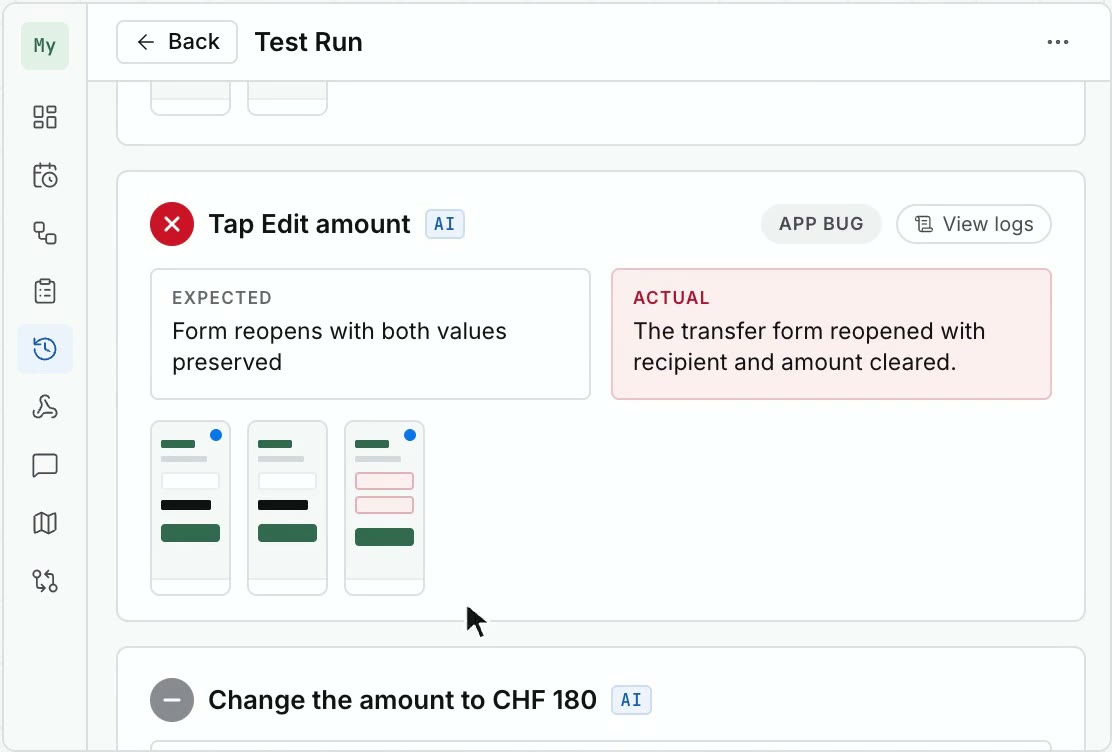
Scale
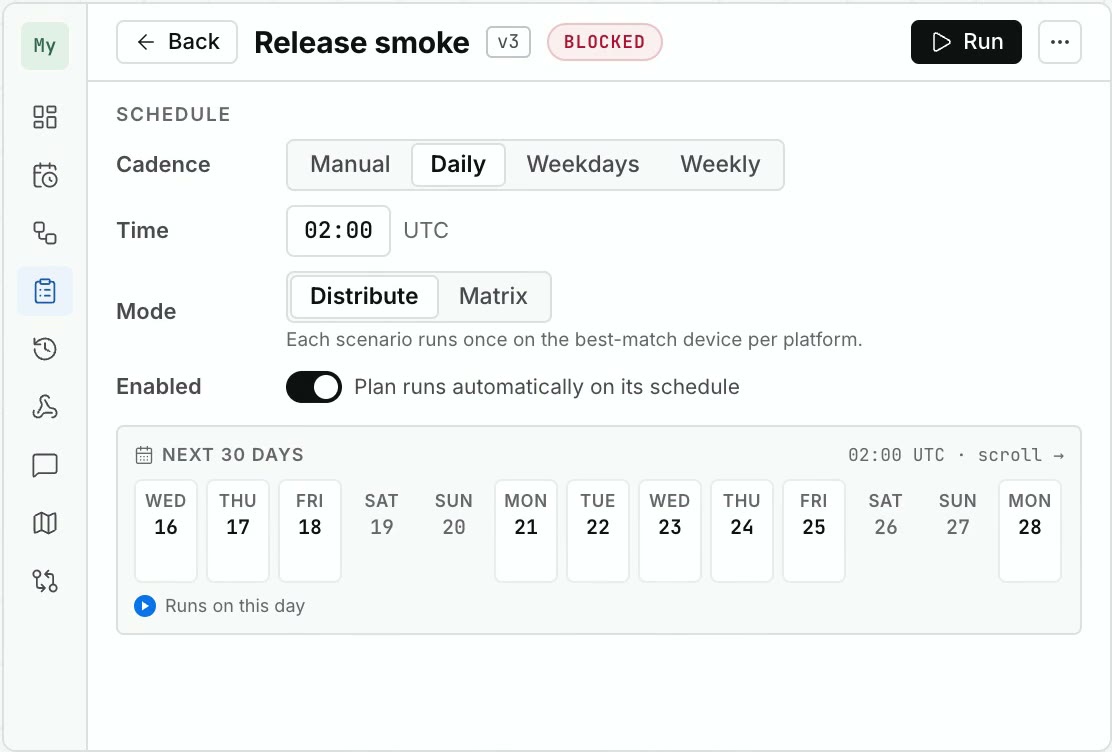
Demo
Click through Tessa with the MyBänkli demo app. Full screen, no sign-up.
More features
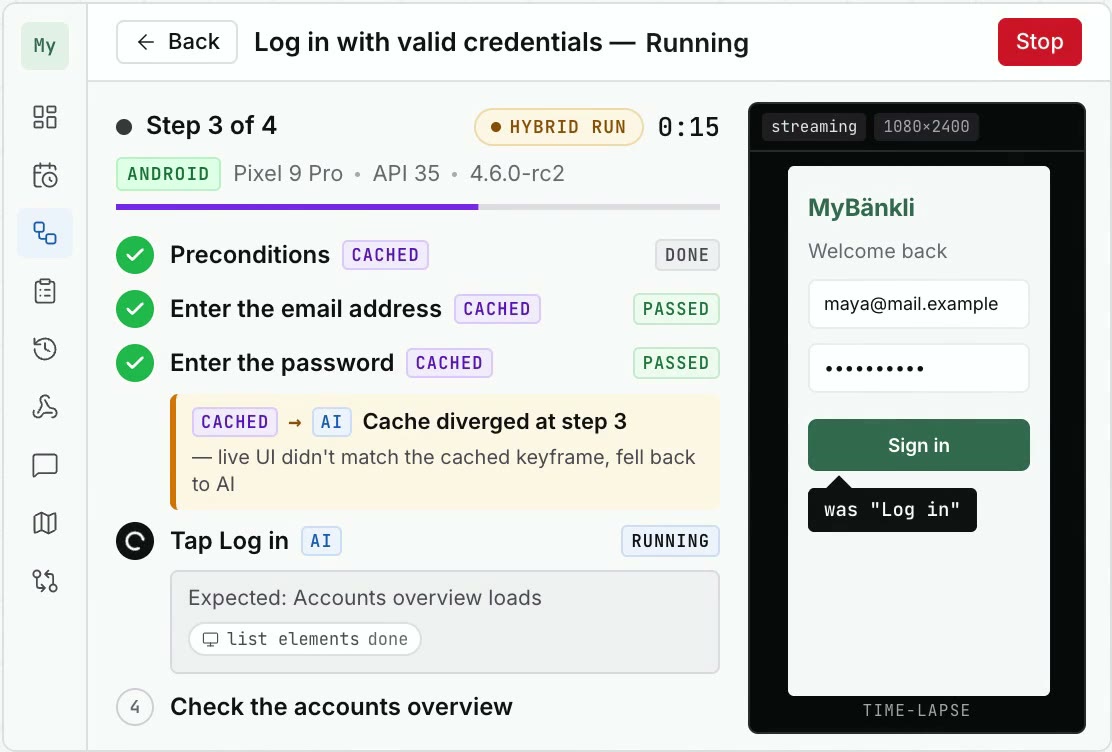
Verified replay
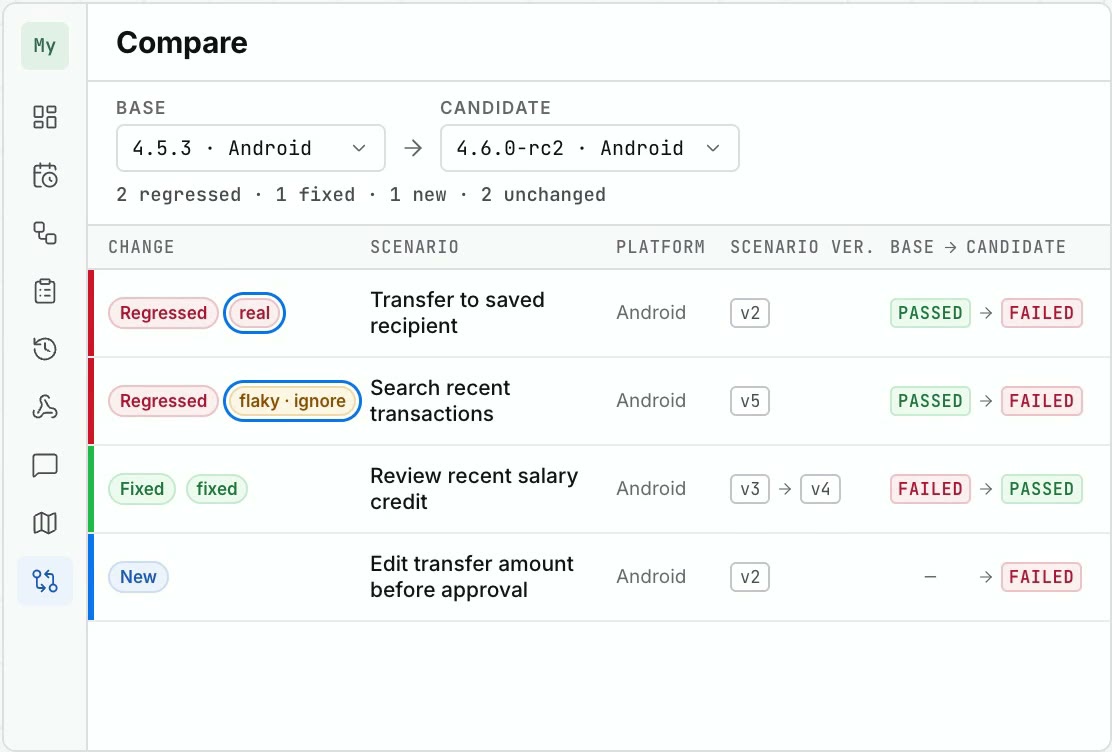
Triage
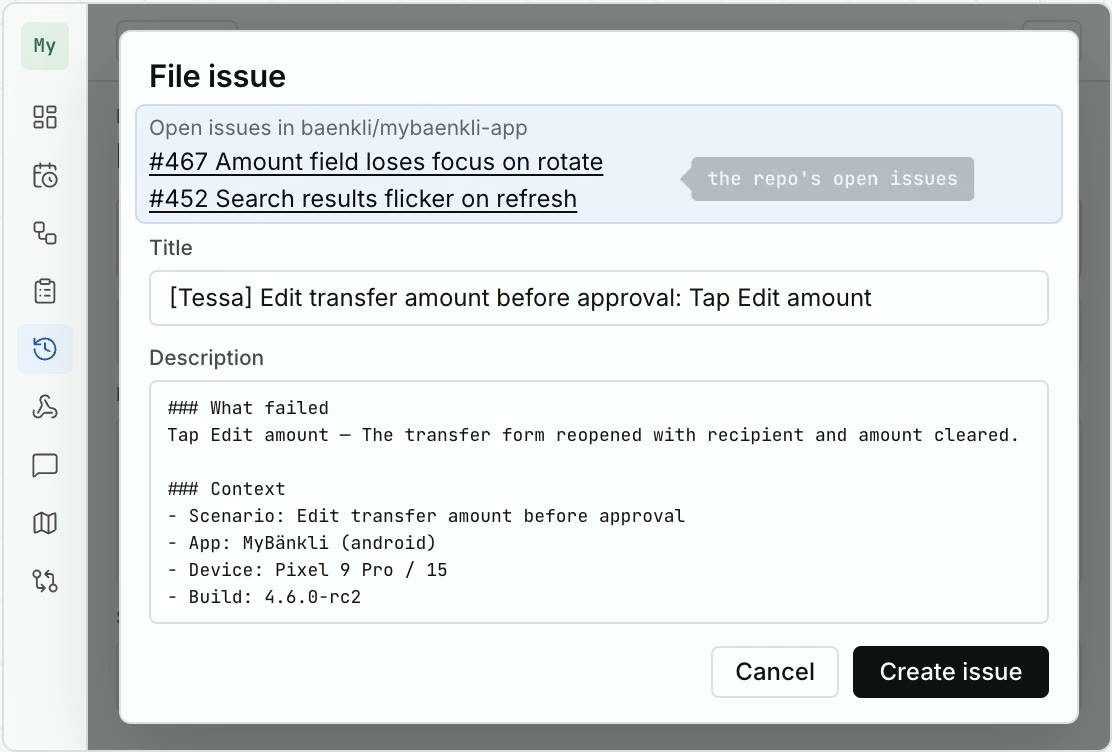
Issues
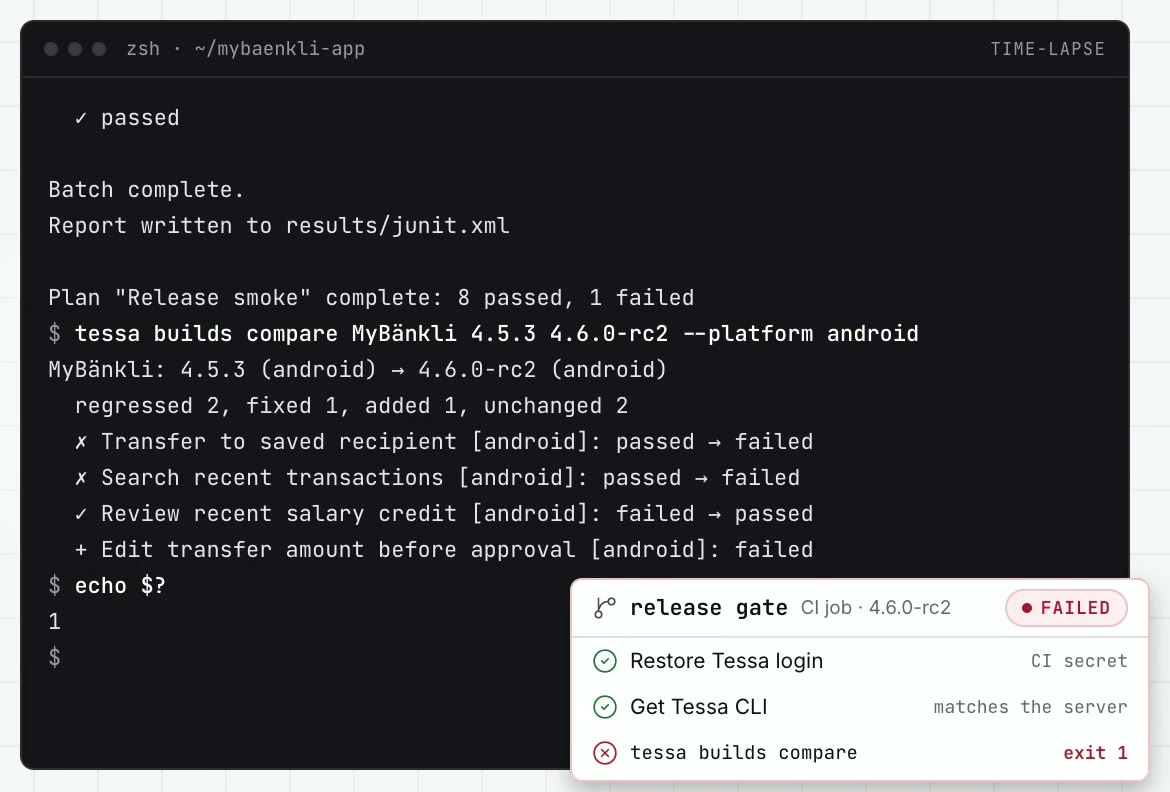
CLI and CI
App Map
Pricing
Sign up and the free 14-day trial runs on Team. Sovereign is the same product, self-hosted with Docker or Kubernetes.
Free 14-day trial on Team. No credits, no run limits, no per-device fees.
FAQ
Tessa tests Android and iOS apps, web applications, and desktop applications from Electron apps to classic desktop software. Tests run on physical devices, local or remote virtual devices, browsers and desktop computers.
No. Scenarios use natural-language preconditions, steps, and expected outcomes. Tessa drives the application through its available accessibility and automation tools instead of asking testers to maintain selector scripts.
Yes. With Tessa Cloud, connect your own API key for a supported AI provider. With Tessa Sovereign, connect a supported provider or OpenAI-compatible endpoint inside your deployment.
Yes. The server, browser UI, and executors can be deployed in your environment, with application data scoped by organisation.
Yes, with one click. An organisation owner can export the complete organisation at any time: scenarios with their version history, test plans, schedules, the App Map, settings, integrations, members, and full reports including screenshots and logs, as one ZIP archive of machine-readable JSON. The export works in every organisation state, even after you cancel.
Open the sign-up page and sign in with Google or GitHub. Your workspace is provisioned automatically within a minute, no credit card required. Connect your own API key for a supported AI provider, and the dashboard walks you through the rest: create a project, connect a device through the Tessa Executor, add a build or URL, let Tessa explore your app, and run the first test Tessa drafts from what it saw. Tessa Cloud is free for 14 days on the Team plan. When the trial ends, choose Solo or Team and add your card in the billing portal; from then on your organisation is billed monthly, including VAT. Without a card, nothing is charged.
Our estimate: a typical scenario is written and reviewed in Tessa in under five minutes. The same case as a Playwright test, specified, implemented, and reviewed, takes around four hours because it crosses several people. When behaviour changes, you revise the natural-language steps instead of test code, and every change stays versioned.
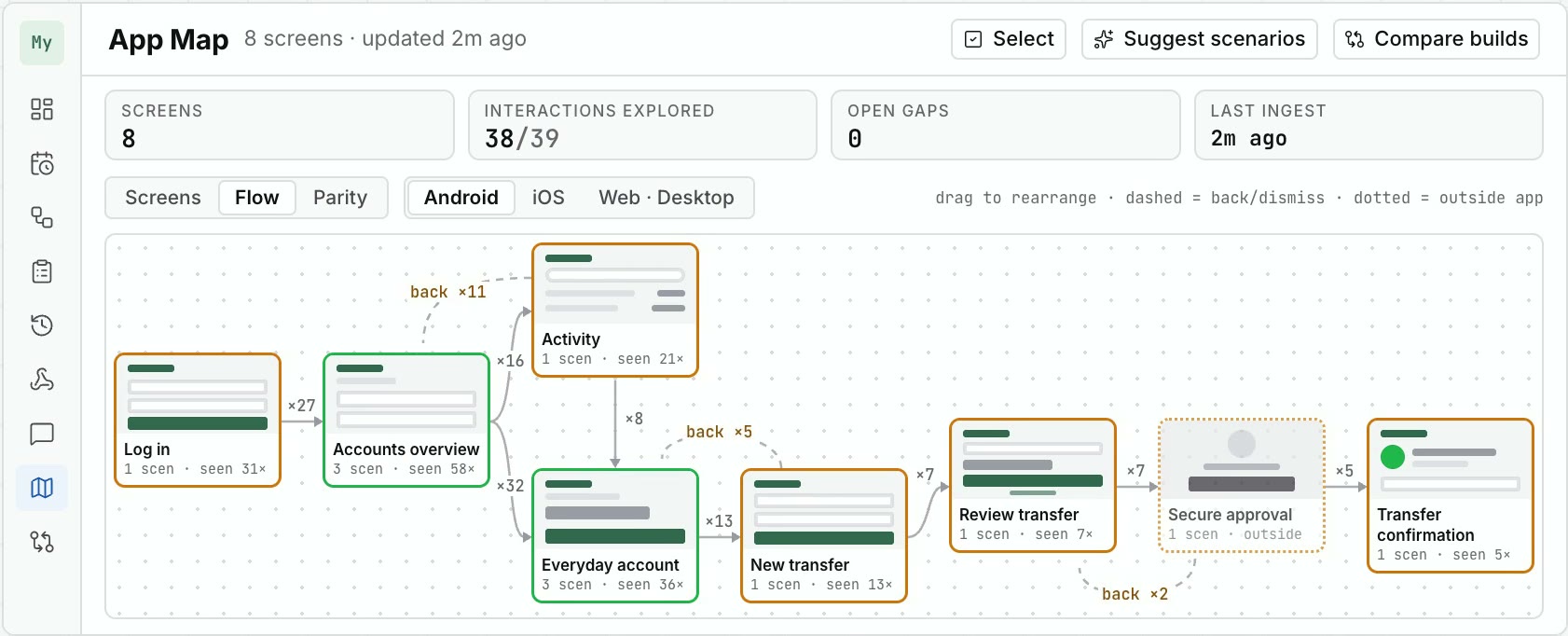
Observations from Tessa runs, deterministic replays, and Tessa Assistant explorations are folded into the App Map. Tessa groups stable screens, records transitions, and recalculates coverage gaps from the observed state.
A small app for macOS or Windows that connects your test devices to Tessa: the phones plugged into that computer, its simulators and emulators, its browsers and, if you switch it on, the computer itself. Install it on any computer in your network; every plan includes as many executors and devices as you like. It opens one outbound HTTPS connection on the standard port, like a browser, and needs no inbound port, so your devices stay in your network and invisible from outside. If you have no devices of your own, Enterprise adds cloud devices on request.
Yes. The Tessa Executor runs on a computer in your network and opens an outbound HTTPS connection to the Tessa server, the same way a browser does. It needs no inbound port, no VPN, and no public address, so the phones, simulators, and browsers it drives stay invisible from outside. Your IT allows one outbound destination and Tessa works within your network rules.
Enterprise single sign-on is part of the Enterprise plan and of Tessa Sovereign. Solo and Team use Google or GitHub sign-in.
Tessa Sovereign is designed for them: services, test data, and evidence remain on customer-controlled infrastructure, and a self-hosted AI endpoint allows the deployment to be configured for fully internal operation. This is an architecture claim, not FINMA certification or approval; final compliance depends on the institution's configuration and controls.
Yes. Install the Tessa GitHub App, or connect GitLab with an access token (gitlab.com or self-managed), and Tessa drafts issues from failed runs, comments on the existing issue when a failure reproduces, and flags a run as a regression when a closed issue's failure returns. You can also let Tessa open, comment on, and close issues autonomously; every action is documented on the issue with its reason.
Yes. Nearly everything a person does in the Tessa interface has a command in the Tessa CLI: create and run scenarios and test plans, upload builds, compare two builds, fetch reports. Results come as JSON, JUnit, Markdown, or HTML, and a build comparison exits with an error code when it finds a regression, so it can gate a release. For AI coding agents, the Help page copies a one-line prompt that points the agent to a setup walkthrough on your own Tessa server.
A Mac running the Tessa Executor and a paid Apple Developer Program team. Apple only runs a test agent on an iPhone when your own team has signed it, so the executor signs and installs it on the Mac the phone is plugged into. You paste an App Store Connect key into the executor once; it stays encrypted on that Mac, and no certificate or key reaches the Tessa server. Your IPA must already be installable on that phone. iOS simulators need none of this.
Tessa Cloud has two plans, billed monthly and including VAT: Solo for one person with one project and one parallel run, and Team for up to six people with unlimited projects and unlimited parallel runs. The current prices are in the plan table above. Both include unlimited own executors and devices, your own AI provider key, EU hosting, and cancellation at any time; there are no credits, no run limits, and no per-device fees. Enterprise, with custom seats, enterprise SSO, and a cloud device fleet on request, and Tessa Sovereign, self-hosted in your own infrastructure, are priced individually.
Every person who can sign in to your organisation's workspace counts. Solo is for one person, Team includes up to six people, Enterprise is custom, and Tessa Sovereign has no limit.
A project is one application you test with Tessa, with its own scenarios, test plans, runs, Builds & URLs, and App Map across Android, iOS, web, and desktop. Solo includes one project; Team, Enterprise, and Tessa Sovereign have unlimited projects.
Solo and Team are hosted in the EU and operated by Ernst & Conte; Enterprise can be hosted in the EU or in Switzerland. Application data is isolated per organisation. Tessa Sovereign runs in your own infrastructure.
Reports include scenario-step results, expected and observed behaviour, screenshots, run metadata, and application logs: Android logcat, iOS console output, or web console output.
Get started
< 5 min
for a new test scenario, written and reviewed
vs
4 hr
as a Playwright test
< 30 min
to connect Tessa to an existing project
vs
multiple days
for a traditional test stack
Our estimates for a typical scenario and project.
Start free trialContact
Request a live product walkthrough or a Sovereign deployment discussion. Tell us what you want to test and we will get back to you within one working day. You can start a free Tessa Cloud trial right away, without a request.